Connect sales to double-entry accounts, then review revenue, products, stock, and staff performance from the same platform.
Priced by branches and usage. See pricing for what each plan includes.
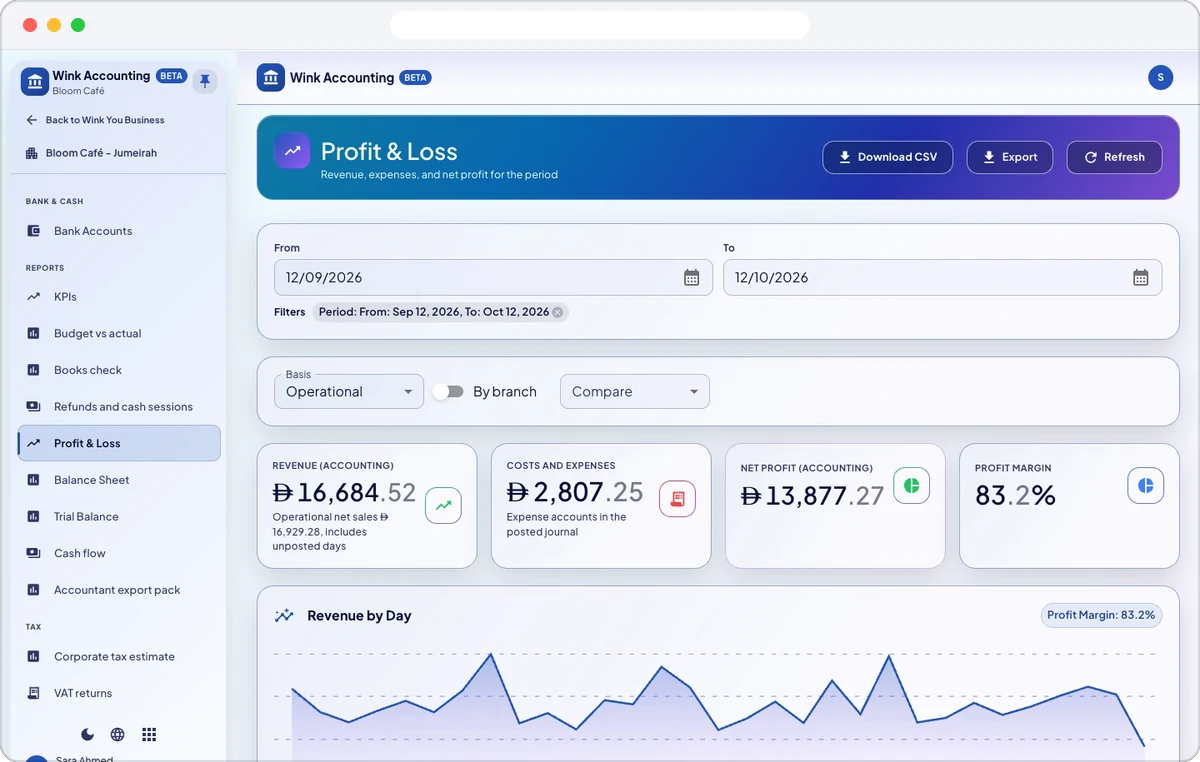
Wink Finance is both halves of the money question. Underneath it keeps proper books: a chart of accounts, journal entries posted automatically from sales, refunds, purchases and payroll, and statements you can produce without exporting anything. On top it answers the daily questions, which dish makes money, which hour is dead, which branch is ahead, which product is sitting on the shelf, and who voided what. Tax handling follows the business, and UAE VAT specifics apply only to businesses in the UAE.

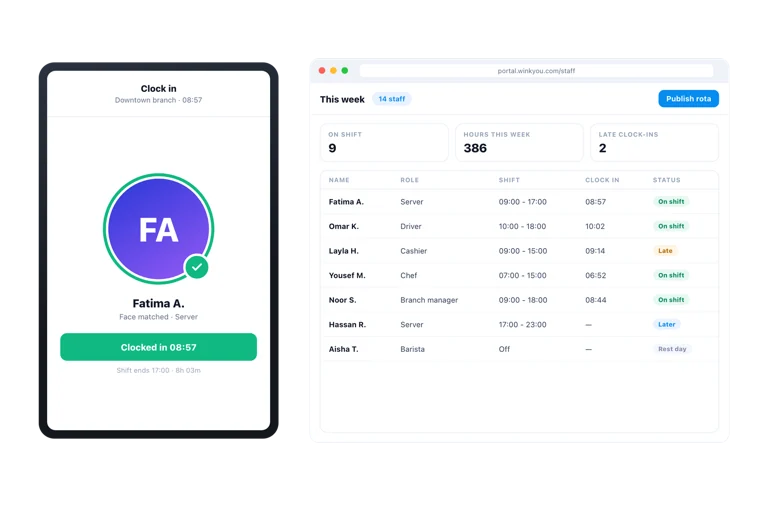
Prepare a monthly payroll run from approved timesheets and each person’s pay rate, add allowances and deductions such as a bonus or an advance, then approve and post it so salaries land in your books. Wink You records payroll but does not send the money. For UAE businesses, a posted run can export a WPS salary file for your bank’s wage system, currently in beta, and end of service gratuity is accrued under UAE rules.
For UAE businesses, every box of the VAT return is filled from your books, with adjustments and a note for each correction. You submit the return on the tax authority’s portal yourself, then mark it as filed with its reference. A corporate tax estimate starts from your net profit for planning, and tax invoices carry your tax registration number.
Import a statement from your bank as CSV, XLSX, OFX, QFX or MT940, confirm the matches suggested against payments you recorded, match fees by hand, and let rules match repeating lines. The reconciliation view compares the statement balance with your books.
Raise customer invoices with partial payments and payment reminders, record supplier bills, including bills made from a received purchase order, and record expenses with approval. Credit notes, customer and supplier statements, budgets against actuals, fixed assets and month end close are all in the same books.
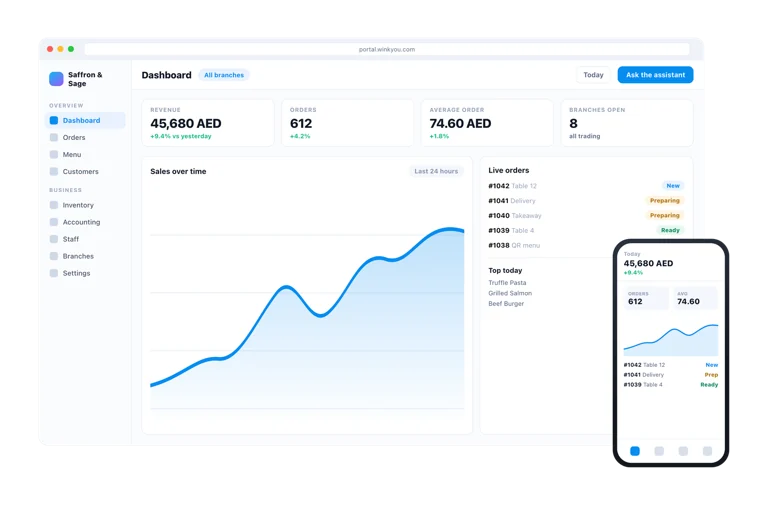
Sales by date, branch, channel and payment method, peak hours, top products and categories, staff sales and tips, voids, discounts and refunds, delivery app sales and commission, and kitchen preparation times. Every report exports to CSV, and daily, weekly and monthly summaries can arrive by email.
The books are real double entry with a chart of accounts, journals and statements, so day to day trading is handled here. Most businesses keep their accountant for filing and year end, and export what the accountant asks for.
Tax is set per product and per business, and tax on an invoice is calculated from those rates rather than assumed. The UAE specific VAT reporting applies to businesses registered in the UAE; a business in another market uses its own rates.
Yes. Approve the month’s timesheets, then prepare a payroll run that shows basic pay, overtime and net pay per person, add allowances or deductions, and approve and post it into your books. Wink You records the payroll; paying the salaries is done through your bank.
Yes, in beta. Once a payroll run is posted, Export WPS file makes a salary file for your bank’s wage protection system. It does not transfer funds, so you upload the file to your bank.
No. For UAE businesses it prepares the return from your books, and you submit it yourself on the tax authority’s portal. Then click Mark as filed and enter the reference you received.
Set up your tax profile with your tax registration number and choose whether prices include VAT or have it added on top. Receipts and invoices then print as tax invoices with your registration number and the VAT line calculated from each product’s rate.
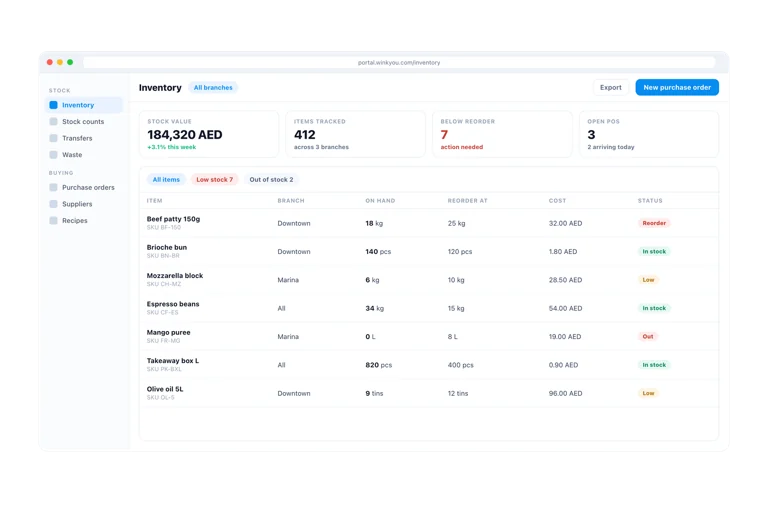
The product sales and top products reports show what sells, and the Recipes page shows each dish’s cost, food cost percentage and profit per sale. Together they show which items earn the most, not only which sell the most.
Yes. Add them as a staff member with the accountant role and they see only the accounting, with every branch, and not the POS, orders or menu. You can also send them an accountant export pack with the ledger, invoices, bills and VAT returns.
Yes. Import the statement file, confirm the matches suggested against recorded payments, match the rest by hand or with rules, and check that the reconciliation difference is zero.
Send a message or reach us on WhatsApp. We will show you the right setup for your restaurant or your store.